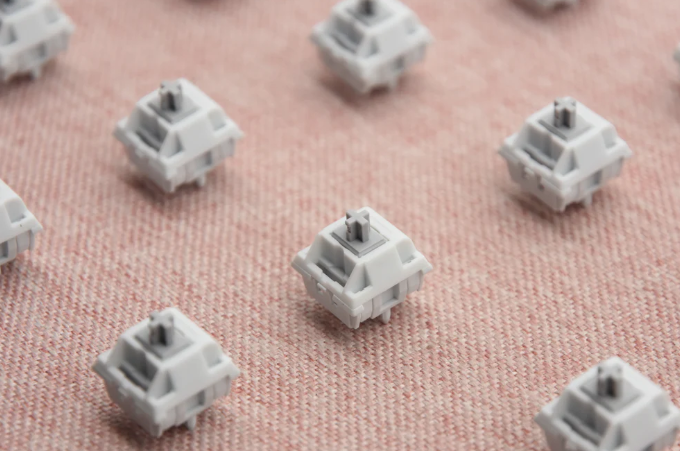
Keyboard switches are the heart of any mechanical keyboard, influencing how your typing feels, sounds, and performs. Whether you’re a gamer chasing the fastest reaction times, a professional typist aiming for comfort, or a casual user seeking a satisfying click, understanding keyboard switches is essential. This guide will explore everything you need to know about keyboard switches, including types, functionality, and selection tips, helping you make an informed choice.
What Are Keyboard Switches and Why Do They Matter?
A keyboard switch is the mechanism underneath each keycap that registers a keypress. Mechanical switches, unlike membrane switches, offer distinct feedback and longevity, making them popular among gamers and professionals alike. According to Keychron, high-quality switches can last up to 50 million keystrokes, significantly outperforming traditional rubber dome keyboards.
Keyboard switches matter because they affect typing speed, accuracy, and comfort. For example, tactile feedback can help avoid accidental presses, while clicky switches can provide audible confirmation for each keystroke. For gamers, the switch’s actuation force and travel distance can impact reaction time, making the difference between a winning or losing game.
In office or coding scenarios, linear switches are often preferred for smooth, quiet typing over long periods. By understanding the characteristics of each type of switch, users can tailor their keyboard to their specific needs. For more options, explore our Keyboard Switches collection.
What Types of Keyboard Switches Exist Today?
| Switch Type | Feel | Sound | Ideal Use |
| Linear | Smooth, consistent | Quiet | Gaming, office |
| Tactile | Bump on actuation | Soft click | Typing, coding |
| Clicky | Bump + audible click | Loud click | Typing, enthusiasts |
Linear switches provide a straight keystroke with no tactile bump, ideal for rapid key presses in gaming. Tactile switches give a subtle bump that signals the key has been registered, reducing fatigue during long typing sessions. Clicky switches produce a loud click, offering both tactile and auditory feedback, favored by typists who enjoy a classic mechanical feel.
Emerging technologies like optical switches are gaining traction, offering faster response times and less wear, according to Kinetic Labs. Understanding these types and their nuances ensures you select a switch that complements your work or gaming style.
How Do Keyboard Switches Actually Work?
A switch’s performance depends on its actuation force, travel distance, and mechanism type. Actuation force is the pressure needed to register a keypress, measured in grams. Travel distance is the distance a key moves before activation, typically 2–4mm for most switches.
Mechanical switches use physical metal contacts, springs, and sometimes sliders to register a press. Linear switches compress a spring straight down; tactile switches have a small bump mid-travel; clicky switches add a click bar to produce an audible sound. Optical switches, in contrast, use light beams instead of metal contacts, allowing faster actuation and longer lifespan.
In practical use, a gamer might prefer a light 45g linear switch for rapid key presses, while a programmer may choose a 55g tactile switch to reduce fatigue over hours of typing. User reviews on sites like Keychron emphasize that selecting a switch suited to your scenario can greatly improve both comfort and performance.
How to Choose the Best Keyboard Switches for Your Needs?
Choosing the right keyboard switch depends on usage scenario, typing style, and noise preference.
- Gamers: Prioritize low actuation force and linear switches for speed and precision.
- Typists: Tactile or clicky switches offer feedback and accuracy for long typing sessions.
- Office users: Quiet linear or low-profile switches reduce disturbance in shared spaces.
Additional factors include switch durability, availability of replacement parts, and whether the keyboard supports hot-swappable switches for easy customization. Reading user reviews and testing different switch types can also guide your choice.
For a curated selection of top-performing options, check out our Keyboard Switches collection.
How to Maintain, Upgrade, and Customize Keyboard Switches?
Mechanical switches require minimal maintenance but benefit from occasional care. Cleaning debris and dust with compressed air prevents keypress issues. Lubing switches can improve smoothness and reduce noise, particularly for linear switches. Some enthusiasts even swap springs to adjust actuation force.
Upgrading to hot-swappable switches allows easy replacement without soldering, enabling users to experiment with different types. Custom keycaps can also enhance feel and aesthetics, complementing switch type for an optimal experience.
For gamers, tuning the keyboard with customized switches can reduce input lag, while typists may improve accuracy and comfort. Real-life feedback from users often shows that a small investment in maintenance and customization can dramatically enhance performance and typing satisfaction.
Conclusion
Understanding keyboard switches empowers you to choose a keyboard that suits your specific needs, whether gaming, typing, or professional use. With a variety of types, mechanisms, and customization options, investing in the right switch improves comfort, accuracy, and enjoyment. Explore our range of Keyboard Switches to find the perfect match for your setup.
FAQs
What is the difference between linear, tactile, and clicky switches?
Linear switches are smooth and quiet, tactile switches have a subtle bump for feedback, and clicky switches provide both a bump and audible click.
Are optical keyboard switches better than mechanical ones?
Optical switches offer faster response times and longer lifespan, but mechanical switches provide classic tactile feel and a variety of actuation options.
How long do high-quality keyboard switches typically last?
High-quality mechanical switches can last 50 million keystrokes or more, depending on use and maintenance.